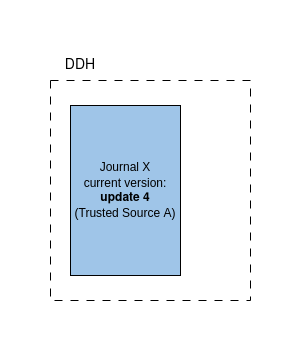
Introduction
The document describes the journal updating process in DDH. It focuses on the most complex scenario in which a journal is updated from different trusted sources simultaneously, i.e. multiple updates come more or less at the same time. In such a case the DDH system must take into account the journal multiple updates that wait for the approval of the journal manager and the auto-acceptance mechanism. For the sake of simplicity the document describes the process by way of an example scenario.
Updating process
Scenario
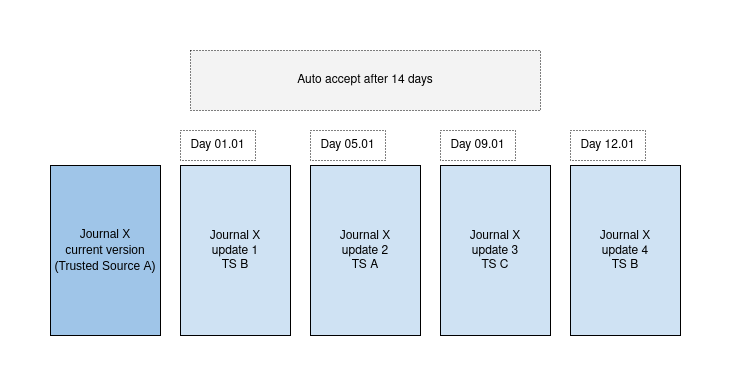
The picture below shows the example scenario by which all the phases of the journal updating process will be explained. In the scenario we have the Journal X that has come from the TS A (the TS A is an manager of Journal X). We can see that within a comparatively short span of time multiple journal updates have come from different TS. The auto-acceptance period is set to 14 days. It means that if no action from the journal manager will be undertaken in this period of time some of the journal updates will be performed and the current version of the journal will change.
Process
Date: 01.01
Event: Update 1 from TS B
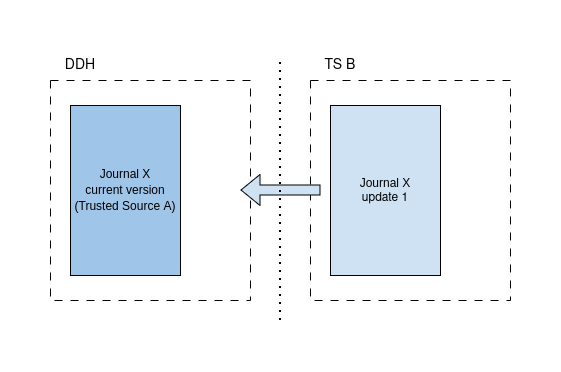
Actions in the DDH (i.e. what happens in the DDH as a response to the event):
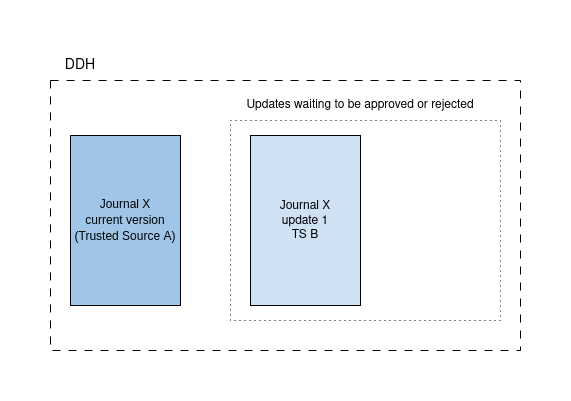
- The TS B update 1 disposition for Journal X is saved in the DB
- An email is sent to the journal manager (the TS A contact point) about the waiting update. The email contains a link to the DDH update request page where the update can be accepted or rejected.
State in the DDH (after the actions have been performed):
Date: 05.01.2024
Event: Update 2 from TS A (the current manager of the journal X in DDH)
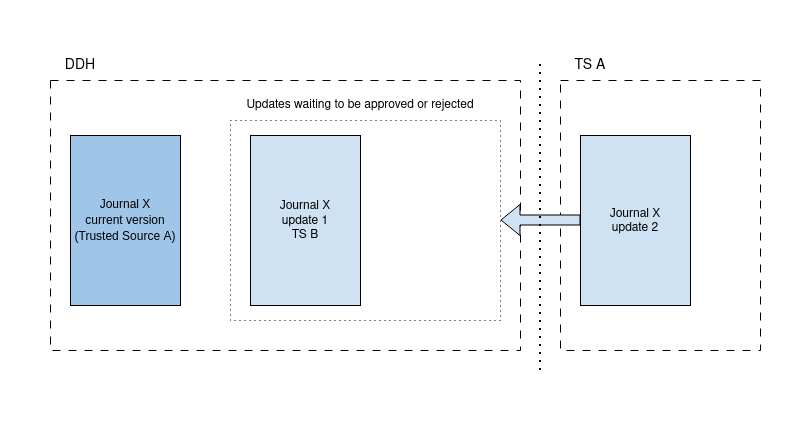
Actions in the DDH:
- the current journal version metadata is replaced with the update 2
State in the DDH:
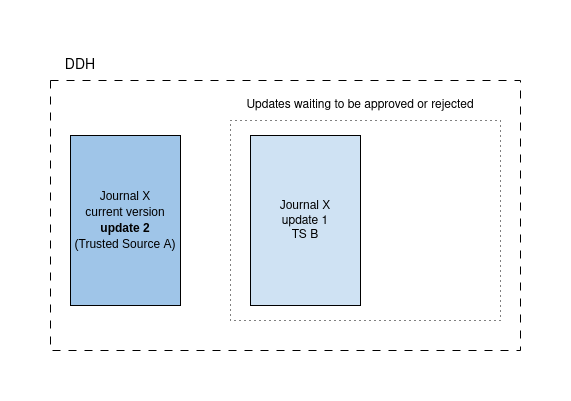
Date: 09.01.2024
Event: Update 3 from TS C
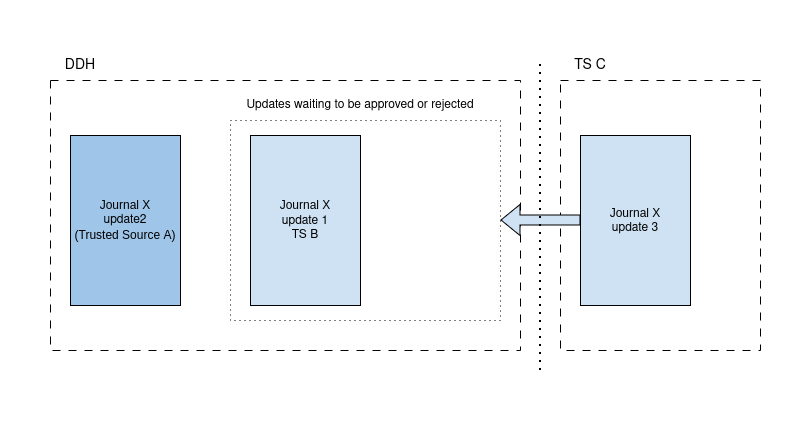
Actions in the DDH:
- The update 3 from TS C for Journal X is saved in the DB
- An email is sent to the journal manager (the TS A contact point) about the waiting update. The email contains a link to the DDH update request page where there are five options available: accept update 1 with management transfer, accept update 1 without management transfer, accept update 3 with management transfer, accept update 3 without management transfer, reject all waiting updates
- The auto-accept period is extended by 14 days, until 23.01.2024. During this period the journal manager can accept or reject the waiting updates (the link to the update request page is valid). When accepting user decides whether to transfer the management or not.
State in the DDH:
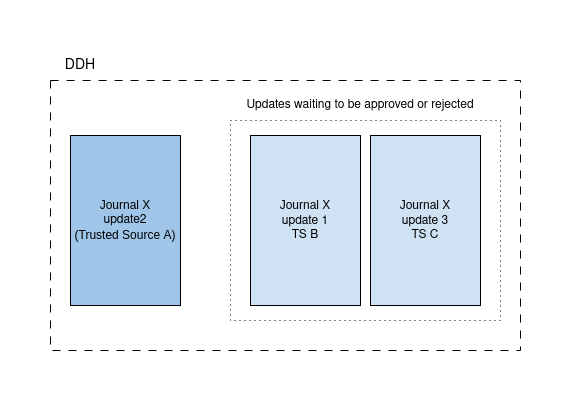
Date: 12.01.2024
Event: Update 4 from TS B
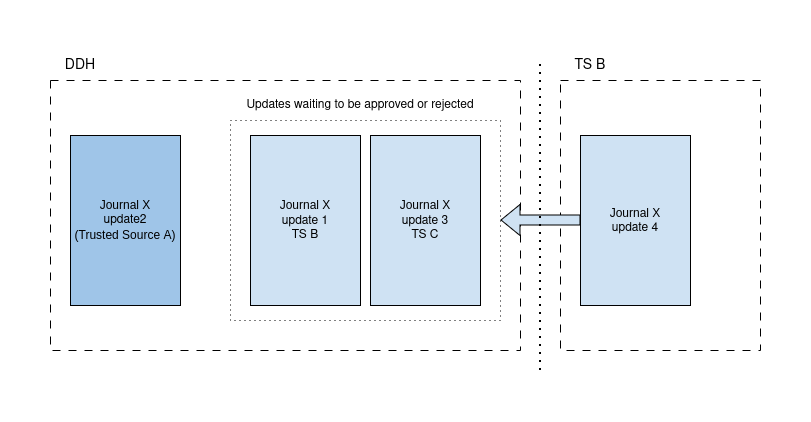
Actions in the DDH:
- The update 1 from TS B is replaced with the update 4
State in the DDH:
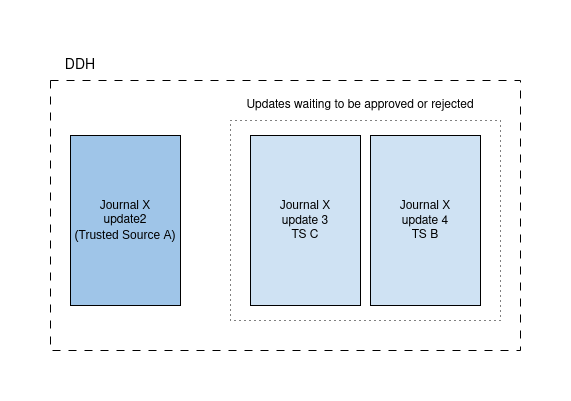
Date: 14.02.2024
Event: Auto accept
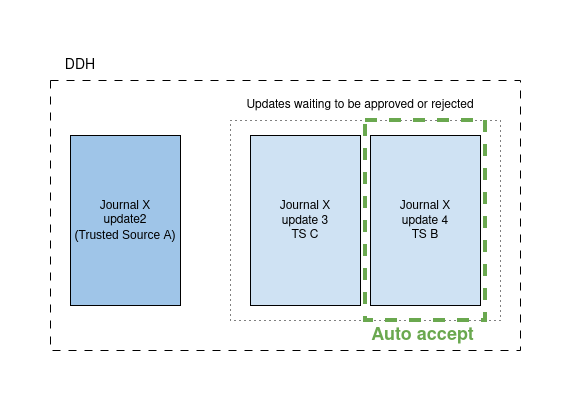
Actions in the DDH:
- The current version is replaced with the metadata from the update 4
- The update 3 is deleted
- The manager of the journal X does not change. It still is TS A as auto accepting does not change the management.
- The validity of the link to the update request page expires (it can no longer be used)
State in the DDH: